AI on governed data.
Not exported copies.
Bring your own assistant. Your data never leaves our governance perimeter.
Bring your own assistant.
Claude, ChatGPT and other MCP-capable assistants connect to
XLiQ through our industry-standard MCP server. There’s no
XLiQ-built chatbot to learn, no separate AI tool to license, no
lock-in.
Your team keeps using their existing AI assistants, now with live and governed access to your data.
How it works.
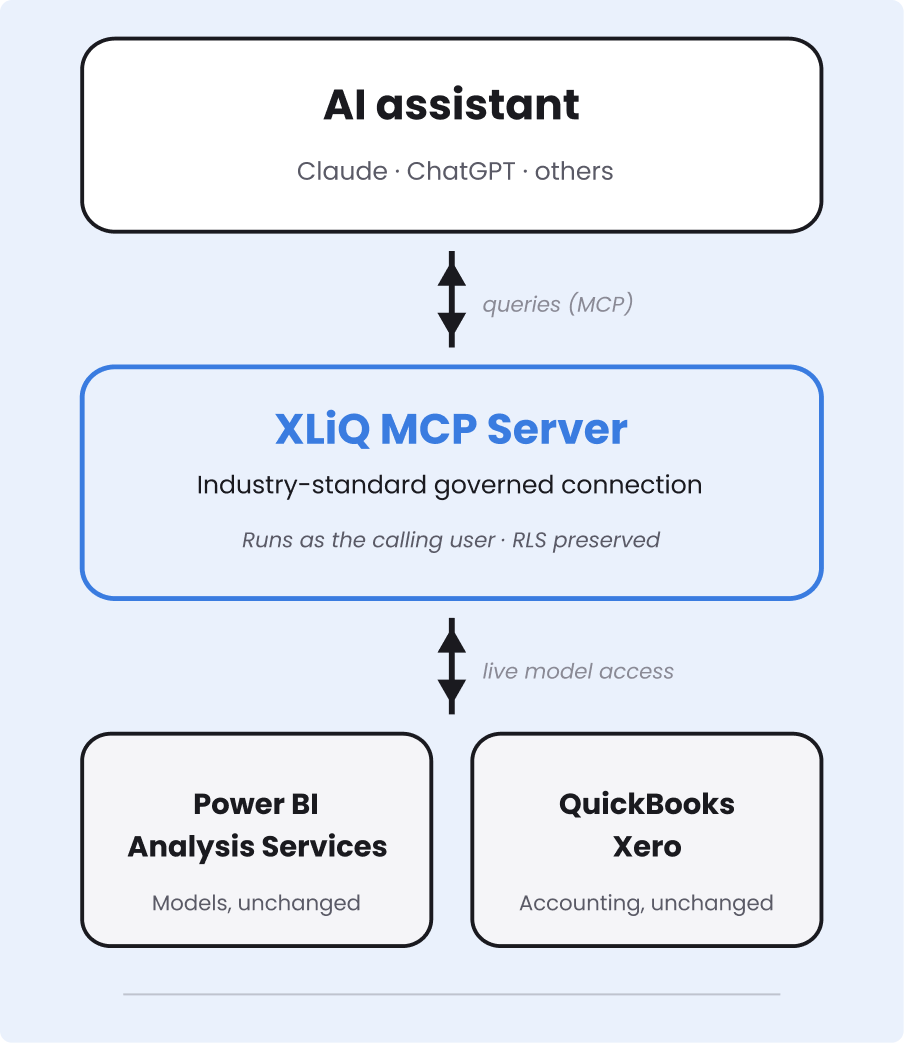
The AI assistant doesn’t connect to your data sources. It connects to XLiQ’s MCP server, which routes every query through the same governed connection your reports use.
We don’t bulk-export your data to the AI. The assistant asks for what it needs, when it needs it and XLiQ’s responses are all within the permissions of the requesting user.
Secure by design.
Three things make AI-on-XLiQ structurally different from AI-on-exported-spreadsheets.

No data sent to AI.
Your data stays at source. XLiQ
returns only the specific results the
assistant needs to answer the current
question — never bulk datasets, never
exports.

No elevated permissions.
Every assistant query runs in the
security context of the person asking.
RLS, cell-level permissions and access controls from your data model are enforced. The
assistant inherits the user’s permissions and stays within them.

One audit trail, not two.
AI-driven queries flow through the
same governed connection as human
queries. The same logs, the same
lineage, the same controls. No
separate AI access path for your
security team to manage.
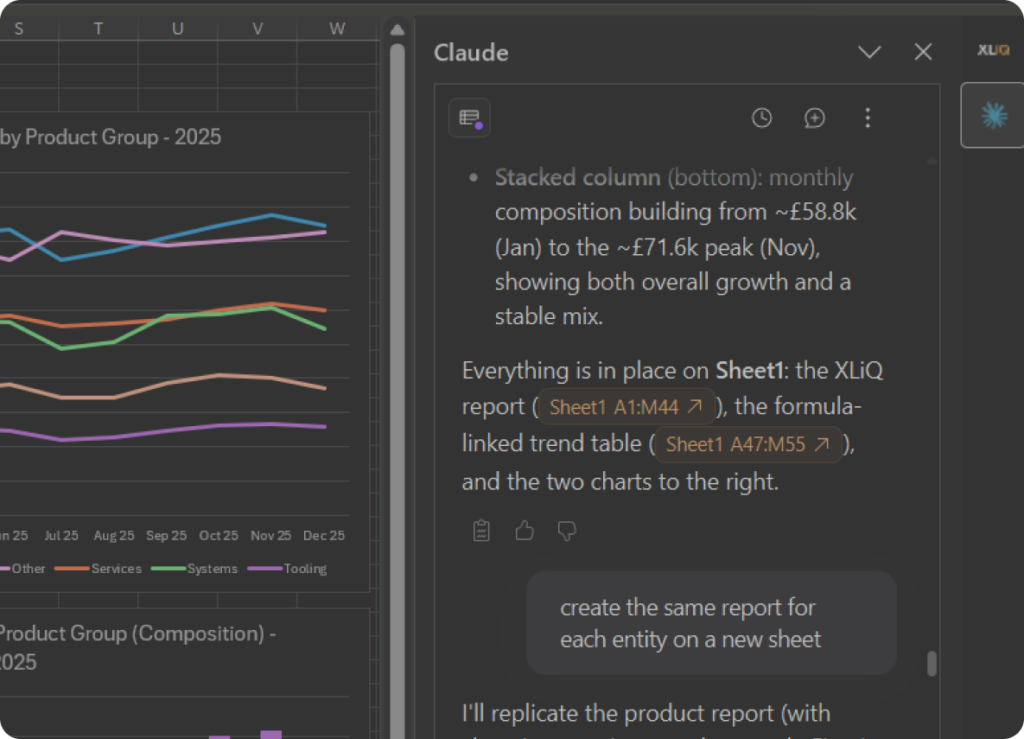
More than chat.
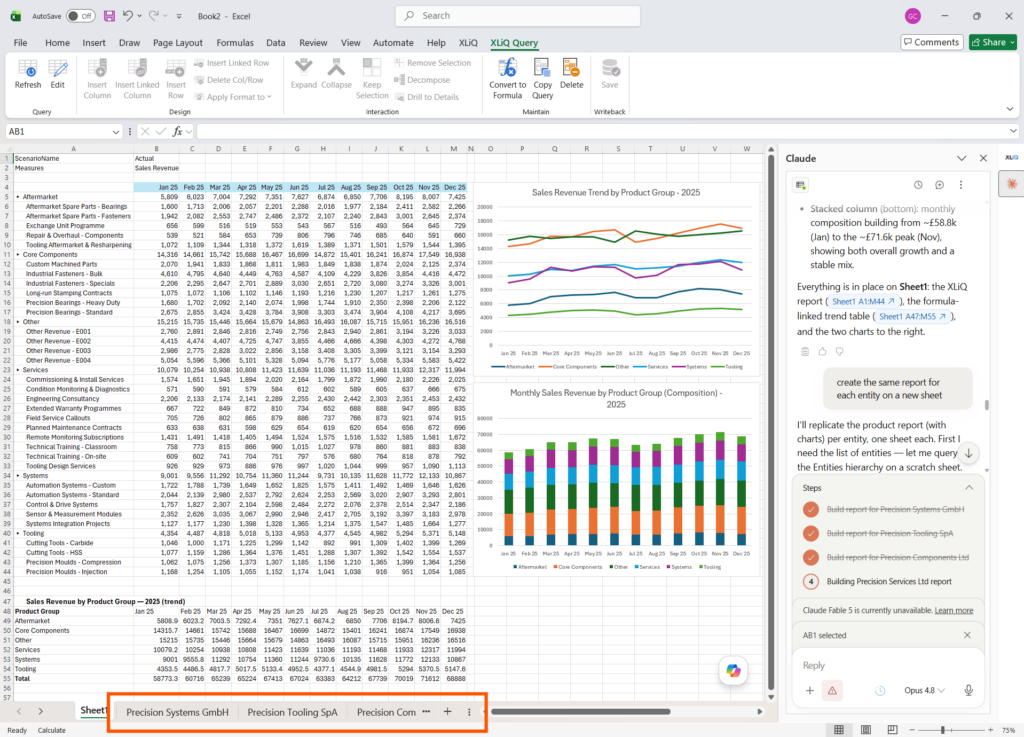
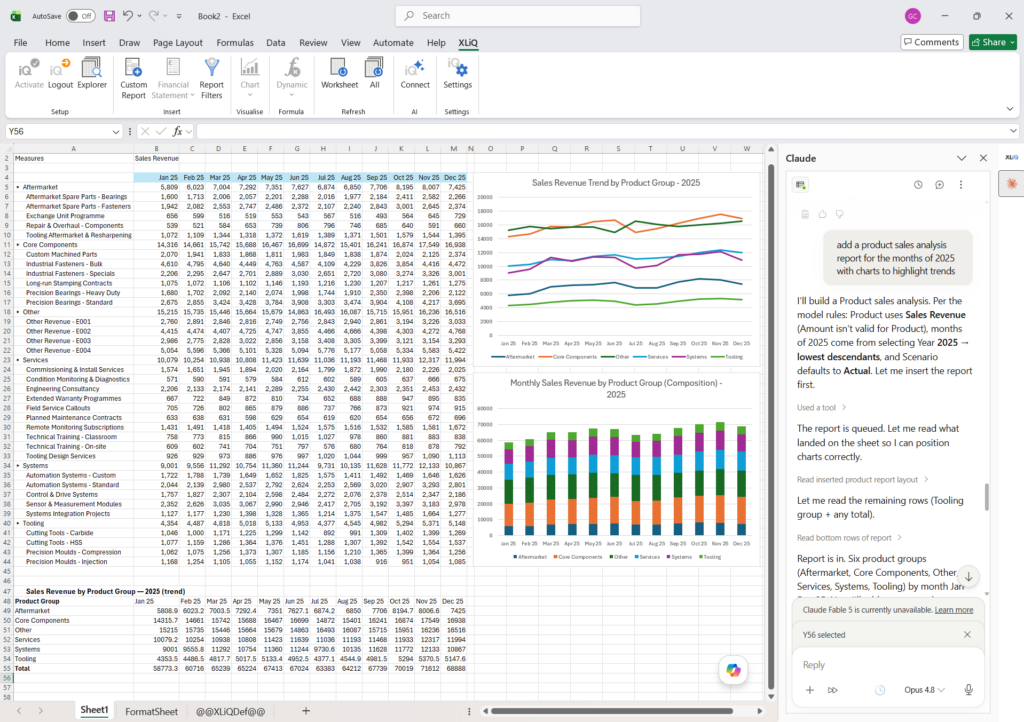
Modern AI assistants don’t just answer questions, they can build, format and calculate directly in the workbook.
They can drive XLiQ’s full interactive capabilities including
drilling, dynamic calculations and live formatting. All in addition to their native Excel skills in charting, formulas and layouts — it’s a powerful productivity combination.
Same data. Same workbook. Now with a co-pilot.
Questions your security team will ask.
01 Where does the AI run?
In your AI provider’s environment, exactly as it does today. XLiQ doesn’t host or proxy the model.
02 What does the assistant actually see?
Only the specific data returned by the queries it makes — and that data is delivered into Excel by the XLiQ add-in, not by the assistant itself. Everything happens within the calling user’s permissions. The assistant never sees the underlying model or bulk extracts.
03 Is our data used to train any AI model?
No. Your data is never sent to any model provider for training. AI queries are real-time only and the relationship to the model provider is yours, not ours.
04 Which assistants are supported?
Any MCP-compatible assistant. Claude runs natively in Excel and via the console today. ChatGPT and other MCP-capable assistants connect through the console.
05 What if we want to disable AI access entirely?
AI can be disabled at a shared connection level.
06 Do you log AI queries separately?
AI queries appear in the same audit log as user queries, with the AI session attributed to the originating user.
See for yourself.